

Cleaning the Printhead
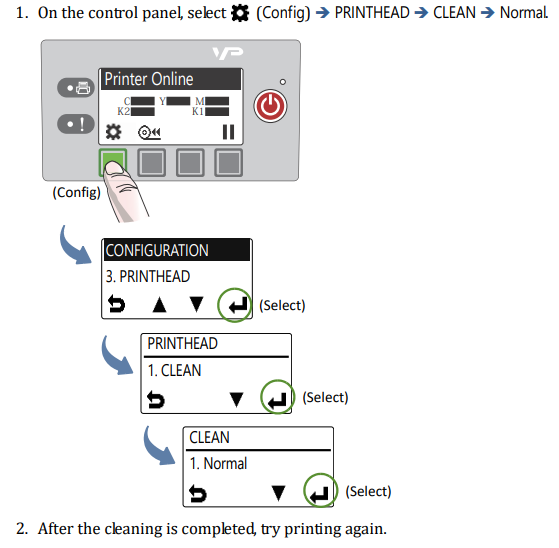
The printer provides three automated cleaning cycles for the printhead: Normal, Extended, and Extreme. Always start with the Normal cleaning cycle and proceed to the next level only if print quality does not improve.
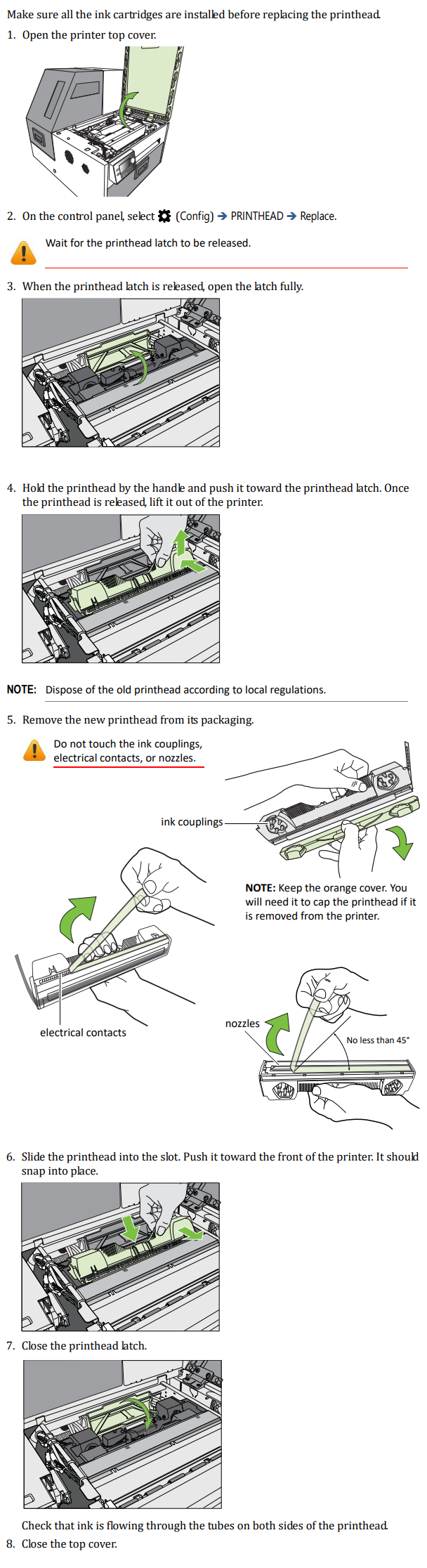
Replacing the Printhead
Preparing the printer for shipping
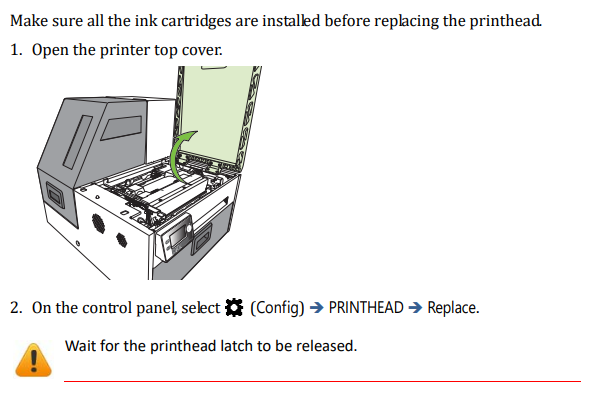
3. Turn off the printer.
4. Close the latch.
5. Please do not turn the printer back on. If the printer needs to be turned back on, ink will be pumped into the lines again. In that case, you will need to repeat the process before shipping.
6. The printer must be transported in an upright position during shipping. Therefore, ship the printer on a pallet via a freight carrier. Please ship in the original packaging if possible.